Stay with the VAX
Written on June 26th, 2026 by Tech Ads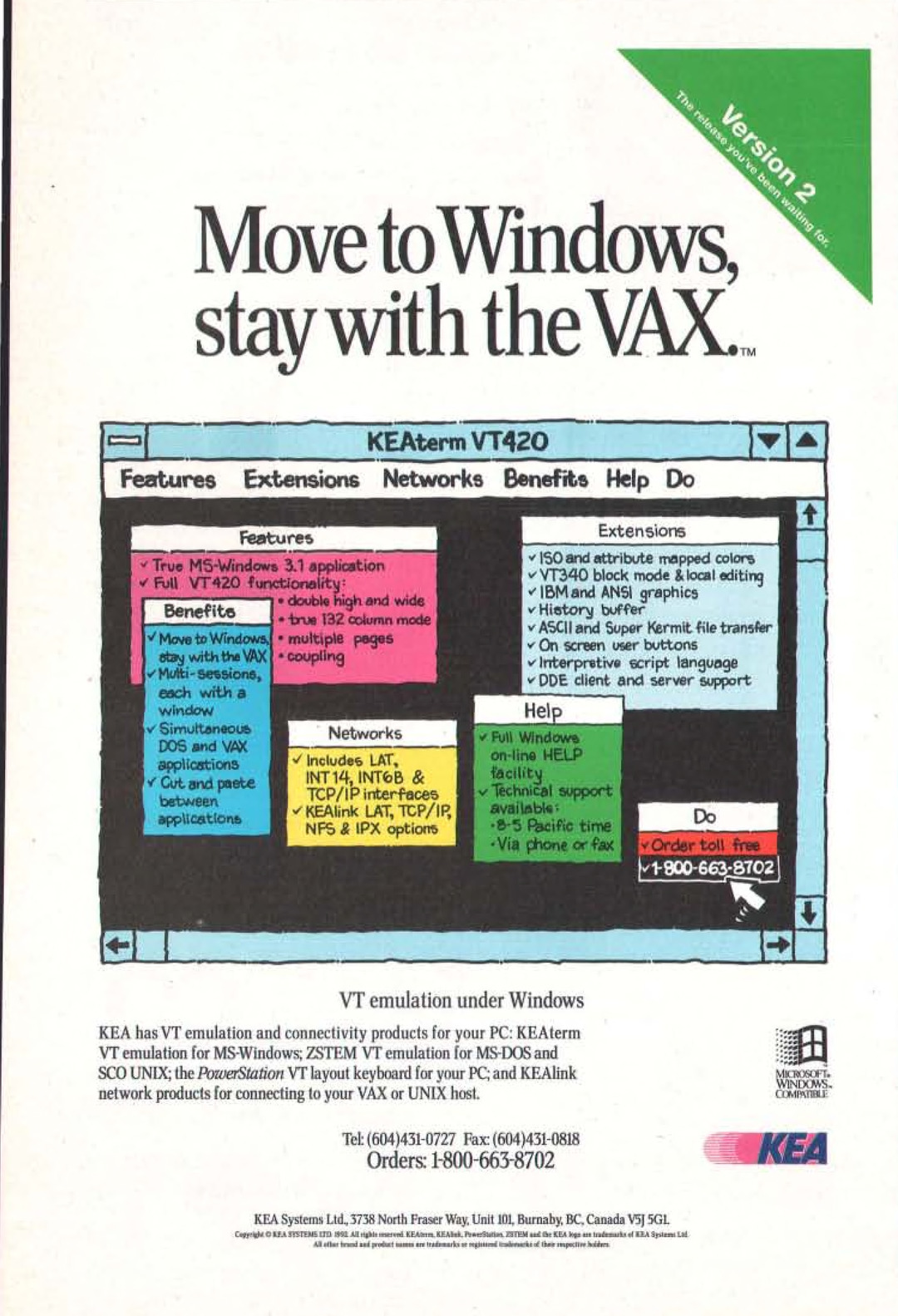
[expand]
Page 1
MovetoWindows,
stay with the VAX..

= Gee KEAterm VT420
Features Extensions Networks Benefits Help Do

Extensions

¥ $0 and attribute mapped colors
“VT340 block mode & local editing

’ IBM and ANSI graphics

v History buffer

v ASCI] and Super Kermit. file transfer
¥ On screen user buttons

v Interpretive script language
¥ DDE client and server support

INT 14, INTOB &
TCP/IP interfaces

“ KEAlink LAT, TCP/IP
NFS & IPX options

VT emulation under Windows
KEA has VT emulation and connectivity products for your PC: KEAterm

VT emulation for MS-Windows; 7STEM VT emulation for MS-DOS and ice
SCO UNIX; the PowerStation VT layout keyboard for your PC; and KEAlink NICHOSOFT.
network products for connecting to your VAX or UNIX host. COMPYTIBLE
Tek (604)4351-0727 Fax: (604)431-0818  KEA
Orders: 1-800-663-8702 :

KEA Systems Lid, 3738 North Fraser Way, Unit 101, Burnaby, BC, Canada V3] 9GL

Coppetigh 2 LAA SPETEME C0 RL 0 igh ecterd KEAete BE Abed Pomerat STEM and fe REA bogs ta identi of CLA Spe Lid
AM ethan bred ool proebord ees are breaks or orgie omtersecie of thew repeciies hotest
[/expand]
‘Stay with the VAX’
KEA’s KEAterm VT emulator was one of many Windows terminal emulators that allowed a Windows PC to connect to a Unix mainframe - thus eliminating the need for a separate expensive traditional Unix terminal.
A copy of Kea420 - VT420 terminal emulator - can be found at WinWorldPC.
Feel free to share!